Problem:
You are unable to hear others in Microsoft Teams
Solution:
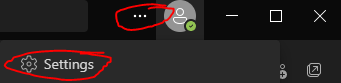
1. In Microsoft Teams, go to the three dots at the top right hand corner next to your initials/your icon picture
2. Click on "Settings"
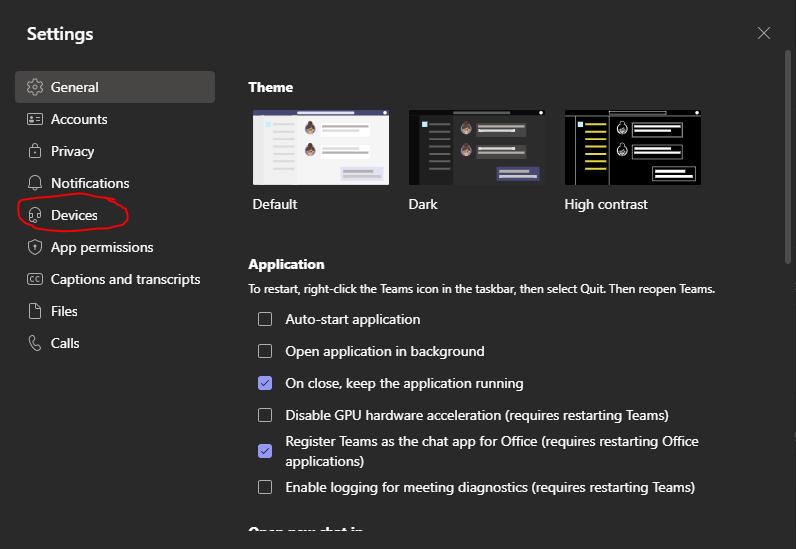
3. Under "Settings", go to "Devices"
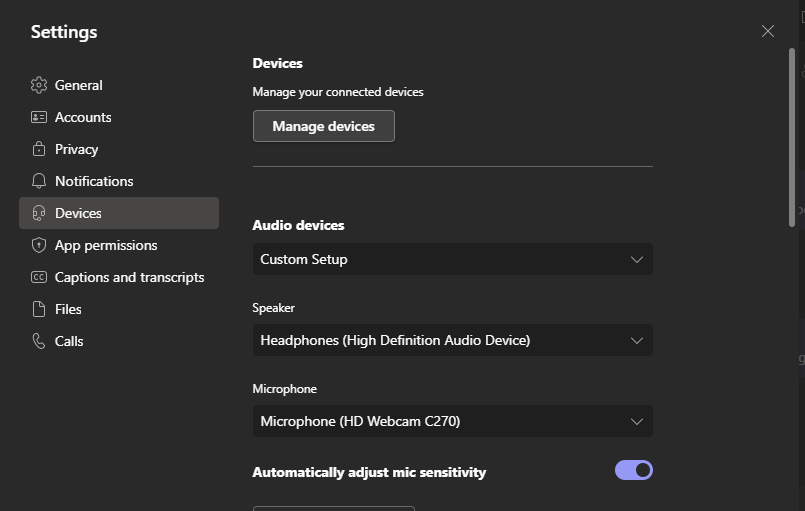
4. Under "Devices", make sure it is set to your headset
If this does not resolve your issue, please open a IT ticket in the Ignitist Portal
Was this article helpful?
That’s Great!
Thank you for your feedback
Sorry! We couldn't be helpful
Thank you for your feedback
Feedback sent
We appreciate your effort and will try to fix the article