Problem:
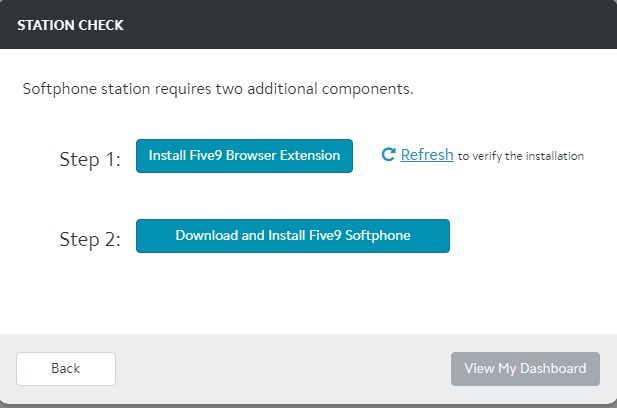
Five9 Station Check states "Softphone station requires two additional components"
Solution:
1. Go To Start Menu in lower left hand corner
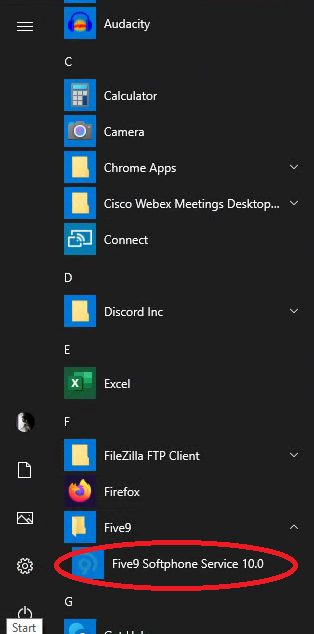
2. Scroll programs until you see the "Five9" folder.
3. Open folder and select "Five9 Softphone Service"
4. Wait 30 seconds for Five9 to detect the service.
5. You should now be logged into Five9.
If this does not resolve your issue, please open a ticket with IT through the Ignitist Portal.
Was this article helpful?
That’s Great!
Thank you for your feedback
Sorry! We couldn't be helpful
Thank you for your feedback
Feedback sent
We appreciate your effort and will try to fix the article