- To access your Schedule Callbacks, Go to the calendar icon (Today’s Reminders) on the top right in five9 or press (B) to pull up the reminders:

2. Once the reminders page is up, you will want to either select all for the completed section or select the ones that you don’t need any more:
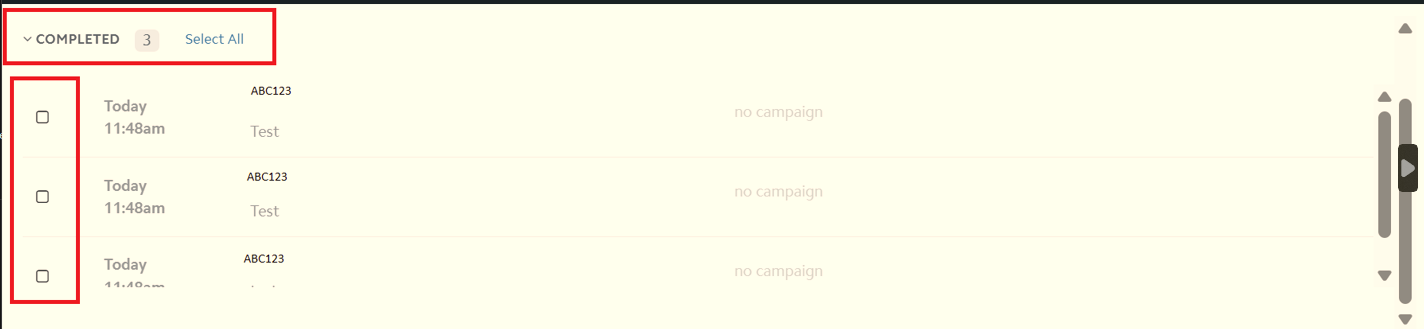
3. Once you have the selected reminders that you wish to delete, you can click on Delete on the bottom right:

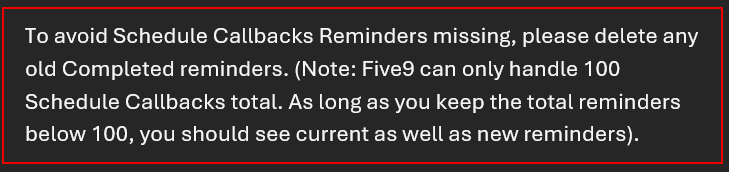
Note: The agent desktop will only display 100 callbacks at a time, so you will want to refresh your page after you delete the Schedule Callbacks to make sure there aren’t additional callbacks that need to get deleted.
Was this article helpful?
That’s Great!
Thank you for your feedback
Sorry! We couldn't be helpful
Thank you for your feedback
Feedback sent
We appreciate your effort and will try to fix the article